From drawing
to decision.
A drawing is full of information. KaivAIn gives you room to measure it, question it, and turn it into a takeoff you can explain.
Try the workspace ↗Keep the drawing in sight.
Open sheets and takeoff review independently. Check scale, inspect an item, and keep its source in view.
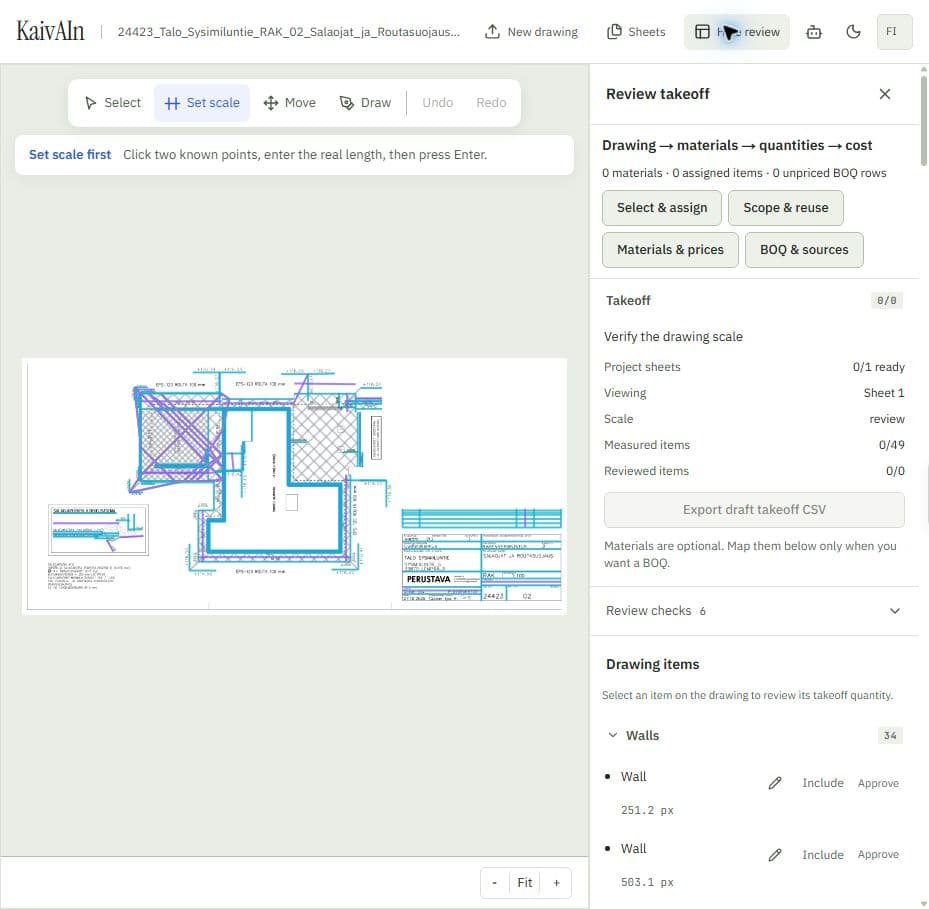
A place for every sheet.
Keep your drawing and its quantities together. Navigate a drawing set, calibrate each page against a known distance, and work with length or area geometry.
Start with what you know.
Manual measurements let you work from your own reading of the drawing. Where detected geometry is available, inspect it before relying on it. A detection is a proposal for your review.
Make your first measurement ↗Keep the evidence close.
Review scope, inclusion, and approval alongside the source drawing. Provisional quantities stay visibly provisional, so an unfinished review does not quietly become a trusted takeoff.
Draft exports help you inspect work in progress. Trusted exports use the review gates to check the included items and their scale approvals.
Understand the review boundaries ↗Give the numbers context.
Assign materials, group the scope, and add rates when the quantity needs to become a cost. Area-to-volume assignments use an explicit depth. Rate units must agree with the quantity being priced.
Unpriced rows remain visible. Source links keep the BOQ connected to the drawing items behind it, and CSV exports give you a working handoff.
Work with materials and rates ↗Bring a drawing.
Find your bearings.
Start with one sheet. Build from there.